UAE INVOICES HUB / For accounting firms
Every client. One to-do.
Run e-invoicing for your whole practice from one account. The AI does the reading; your team does the judgement.
01 — Approach
One practice account for every client you serve: each client sealed off, one to-do across them all, your team where you put them, and a referral commission on every client you bring.
02Isolation
Each client, sealed off.
Each client company has its own TRN, data and ASP. Data never mixes, and only the owner approves your engagement.
03To-do
One to-do across them all.
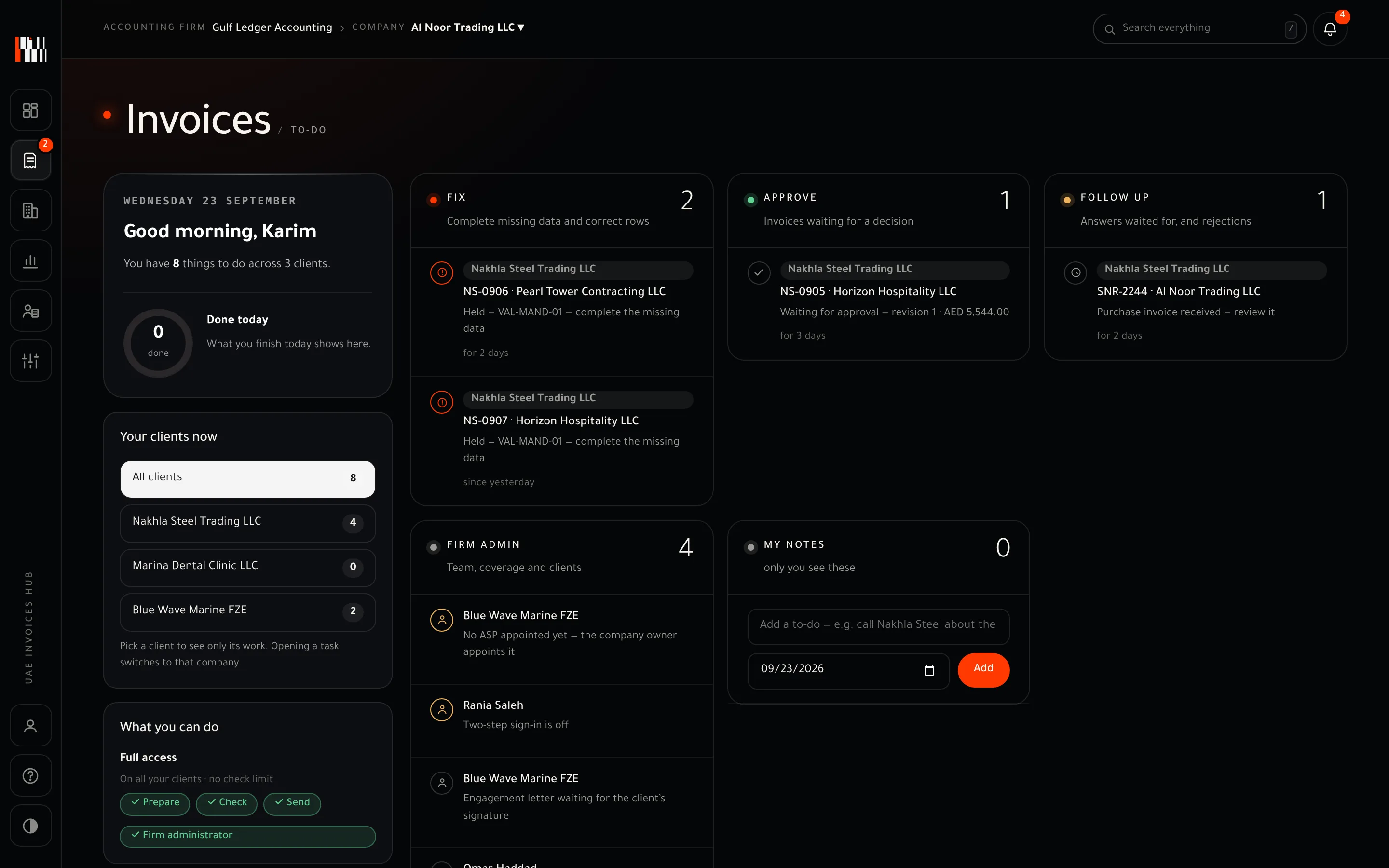
What needs the firm lifts out of every client into one list — fix first, then approve, then follow up. Every task names its client.
04Team
Your team, client by client.
Give each person the clients they handle. Permissions follow the person, across all of their clients.
05Earnings
One price. Your commission.
Every client pays the same UAE INVOICES HUB price. You earn a referral commission on every client you bring — higher as your practice grows, with the higher rate applied to all your active clients from the month after you reach it — and your own service fee stays yours, billed as your own line. The firm console is free, with staff seats included [per programme terms].
06Inside the product
The practice to-do.
The actual firm console with sample data: 8 things across 3 clients, fix first, every task with its client.
07 — Proof
practice account for every client you serve.
08 — What stays true
- 01Your clients stay yours.
We never approach them to sell directly.
- 02The client keeps the keys.
Only the owner appoints or changes the ASP.
- 03A certified team.
Three short modules, renewed every 12 months.
01How do we charge our clients?
Your service fee is yours — you set it and bill it as your own line. Every client pays the same standard UAE INVOICES HUB price (you may collect it for us, at that price only), and you earn a referral commission on every client you bring, higher as your practice grows.
02Will you approach our clients?
No. Clients you manage stay yours.
03Can we send to the ASP for a client?
Yes, with the "Send to the ASP" permission. The ASP itself is always chosen by the client's owner.
04What if a client moves firms?
Its data goes with it — the client owns its data.
05Do we earn when we invite a client's buyers and suppliers?
Yes. An invitation your staff send from inside a client's workspace carries your firm's code, so your firm is the referrer. It goes out in the client's name or unnamed, and the client's owner approves this once.